Mail.ru
🔗 Original page — Source of this material
When trying to send a test message (as long as the password is entered correctly), you may receive an error message: 535: Authentication failed. Please verify your account by going to https://e.mail.ru/login?email=.
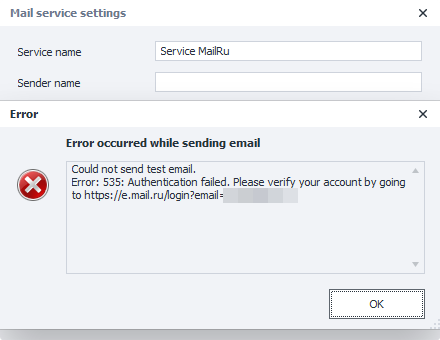
This may be due to Mail.ru's security policy, which requires you to use a separate password specifically created for access from third-party services.
To create a password, please do the following:
Open your Mail.ru account settings in your browser and go to "Settings" → "All settings" → "Security"
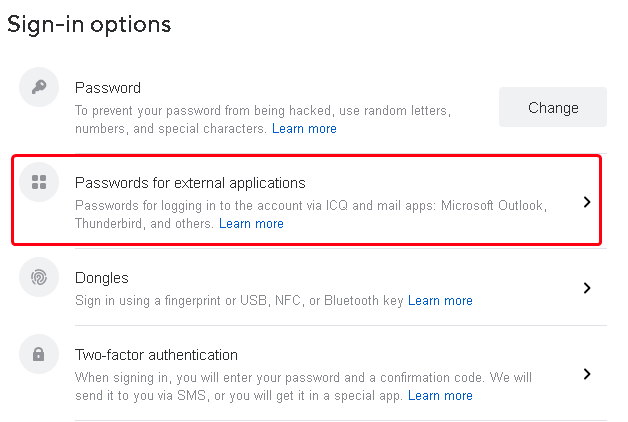
Go to the "Passwords for external applications" setting
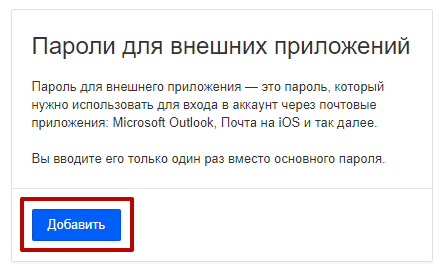
On the new page that opens, click the "Add" button
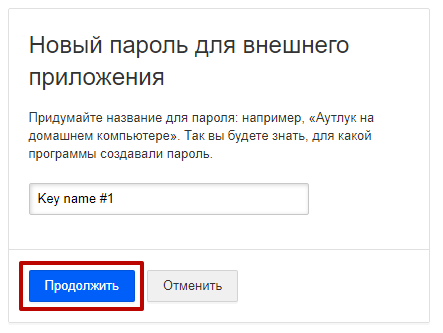
Set any name you'd like for the new password and click the "Continue" button
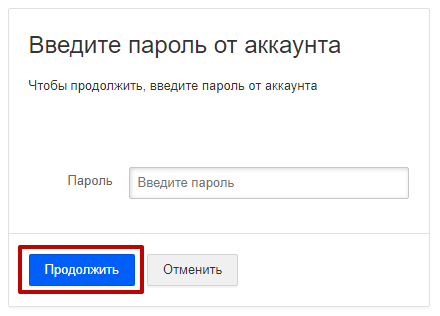
Then, enter your main account password and click the "Continue" button
After this, Mail.ru will generate a password for access by external applications.
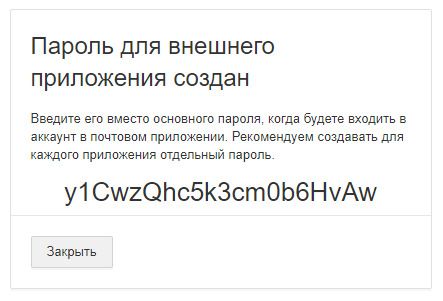
You need to copy the generated password and paste it into the Mail service settings